Manipulation 2D Experiment
This experiment uses a 2D environment that simulates, a dual-armed manipulator.
The task consists in placing an object in a box. These elements are placed in random positions. The robot is controlled by low-level incremental movements.
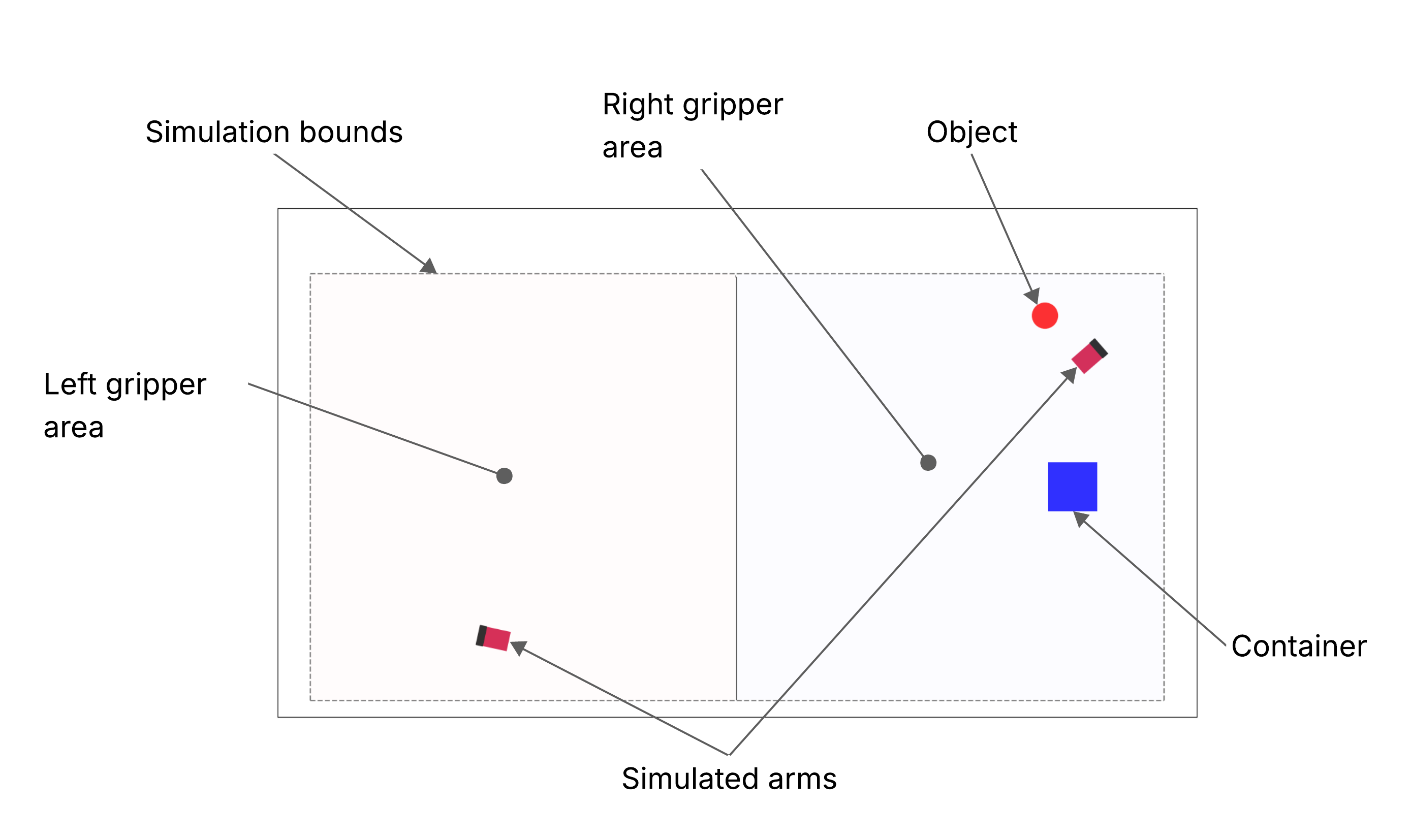
Simulated 2D environment
Experiment description
This experiment showcases the model learning capabilities of the architecture. Its use of low-level actions enables the autonomous learning of World and Utility Models.
The perceptions received by the cognitive architecture are the following ones:
Ball angle: indicates relative angle between the base of the robot and the ball.
Box angle: indicates relative angle between the base of the robot and the box.
Distance ball, box: data about the distance between the ball and the box.
Distance: distance between the ball and the box.
Angle: relative angle between the objects. Decomposed into sin and cos components.
Distance left arm, ball: data about the distance between the left arm and the ball.
Distance: distance between the left arm and the ball.
Angle: relative angle between the orientation of the manipulator and the ball. Decomposed into sin and cos components.
Distance right arm, ball: data about the distance between the right arm and the ball.
Distance: distance between the right arm and the ball.
Angle: relative angle between the orientation of the manipulator and the ball. Decomposed into sin and cos components.
The action vector has the following components:
Left arm: commands to the left arm.
Distance: forward displacement of the actuator.
Angle: relative angular displacement of the orientation of the manipulator.
Right arm: commands to the right arm.
Distance: forward displacement of the actuator.
Angle: relative angular displacement of the orientation of the manipulator.
Execution
The experiment is launched using the following command:
ros2 launch experiments sim2D_launch.py visualize:=True
This experiment is configured through the sim_2d_experiment.yaml file, which you can find in the experiments package of this repository.
Once executed, it is possible to see the logs in the terminal, being able to follow the behavior of the experiment in real time.